Rolly Spin Mobile – How to Play from Your Phone
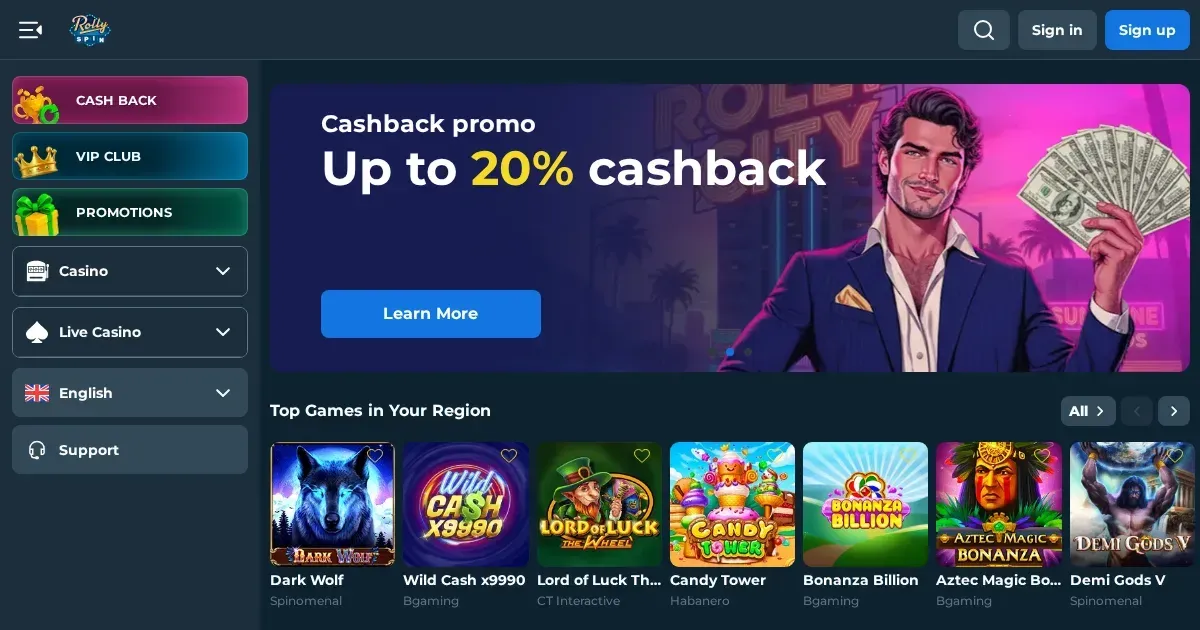
















Rolly Spin runs entirely in a mobile browser – there's no native app to download. You use the same account whether you're on a laptop or a phone, and the site adjusts to fit a smaller screen. This page walks through what actually works on mobile, where the experience falls short, and what to check before you start a session from a device you carry everywhere.
What you can do from your phone
The mobile version of Rolly Spin gives you access to the core features: slots, live dealer tables, account management, deposits and withdrawals. You log in with the same username and password you'd use on desktop, and your balance syncs instantly.
Games open in the browser – tap a title and it loads full-screen. The library isn't trimmed down; providers like Spinomenal, Bgaming and Habanero all run on touchscreens. Live dealer feeds from the casino's partners stream without a separate download, though a strong connection makes a real difference to picture quality.
The cashier works the same way it does on a larger screen. You can deposit via bank cards, e-wallets or cryptocurrency, with the same 20 EUR minimum. Withdrawals follow the operator's published limits – daily caps of 2,000 EUR and monthly caps of 15,000 EUR apply whether you're requesting a payout from a phone or a desktop.
Support channels stay available: the 24/7 live chat opens in a pop-up window, and you can email [email protected] from your phone's mail client. Response times don't change based on the device you're using.
The honest answer on apps
Rolly Spin does not publish a native iOS or Android app. There's nothing to download from the App Store or Google Play, and no APK file offered on the operator's own site. Everything happens in your phone's browser – Safari, Chrome, Firefox or whichever one you prefer.
That setup keeps things simple: no install step, no permissions to grant, and no separate login to remember. The downside is that you lose the convenience of a home-screen icon and push notifications. If you want quicker access, most browsers let you save a bookmark to your home screen, which behaves almost like an app shortcut.
Where mobile is worse than desktop
A smaller screen means compromises. Multi-table layouts in live casino games get cramped – you'll be scrolling or zooming to see bet limits and game history. Slot titles with dense UI elements (buy-feature menus, complex paytables) feel more fiddly on a touchscreen than they do with a mouse.
The terms and conditions page is harder to navigate on mobile. Scrolling through withdrawal policies, bonus wagering rules and excluded games takes longer when you're working with a 6-inch display. It's worth reading the critical sections – the 3x deposit wagering requirement, the 15% refund commission, the two-week KYC deadline – on a larger screen before you commit to a deposit.
Battery drain is real if you're playing graphics-heavy slots or streaming live dealer tables for an extended session. A 20-minute spin on a progressive jackpot title or a half-hour at a live roulette table can pull your charge down noticeably, especially on older devices.
A short checklist before you play
Run through these points before you open the site on your phone:
- Connection – Use Wi-Fi for live dealer games and large deposits. Mobile data works for slots, but a dropped connection mid-spin is frustrating, and streaming video over 4G eats through your allowance quickly.
- The operator's address – Double-check you're on the legitimate domain. Phishing sites targeting mobile users are common, and a small screen makes it harder to spot a URL that's one letter off.
- Log out on shared devices – If you're using a family tablet or a friend's phone, make sure you sign out when you're done. The site doesn't automatically clear your session, so your balance and transaction history stay visible until you manually log off.
- Set limits before the session – Rolly Spin offers deposit limits and self-exclusion tools through your account settings. A phone is always in your pocket, which makes impulse deposits easier than they are on a desktop you have to sit down at. Setting a weekly cap in advance gives you a safeguard you won't override in the moment.
Day-to-day use in practice
Once you're past the setup, the mobile site is straightforward. The homepage loads quickly, and the game filters – slots, live casino, new titles, instant games – sit in a menu at the top. Tap a category and the library appears as a grid of thumbnails.
Search works well enough: type a title or provider name and the results narrow down as you go. The account menu (balance, transaction history, verification status) hides behind a hamburger icon in the top corner, which is standard but means an extra tap compared to desktop.
The VIP program is fully accessible on mobile. You can check your tier (Bronze through to Legend), see your cashback percentage (5% to 20% depending on level), and track your points total. Claiming the weekly VIP Reload bonus – available from level 3 upwards – works the same way it does on a larger screen.
One detail worth knowing: verification documents can be uploaded from your phone. The operator asks for proof of identity (passport or ID card, front and back), proof of address (utility bill or bank statement from the last three months), and proof of deposit (screenshot showing the transaction). You can take photos with your phone's camera and submit them directly through the account settings, which saves the hassle of scanning files on a desktop.
Responsible play on a device you carry everywhere
A phone makes gambling more accessible, which cuts both ways. You can check your balance, claim a bonus or place a bet wherever you are – but that convenience also means there's no natural barrier between deciding to play and actually doing it.
If you find yourself opening the site more often than you planned, or chasing losses during a commute, take it seriously. GamCare runs a free, confidential helpline on 0808 8020 133 (24/7), and BeGambleAware (begambleaware.org) offers online chat and email support. GamStop (gamstop.co.uk) is a national self-exclusion scheme that blocks access to licensed UK sites for six months, a year, or five years – it works across devices, so enrolling locks you out on mobile as well as desktop.
For device-level controls, Gamban (gamban.com) and BetBlocker (betblocker.org) are blocking apps that prevent gambling sites from loading in your browser. Both cover iOS and Android, and BetBlocker is free. If you share a phone or tablet with anyone under 18, parental-control software like Net Nanny or Qustodio can restrict access to gambling domains entirely.
Gambling is entertainment, not something you should feel pressured to do. If it stops being fun, or if you're playing to fix a financial problem, step back and talk to someone. The resources above exist to help, and using them is a sign of good judgement, not weakness. You must be 18 or over (18+) to access this content.
This page is for information and marketing purposes only. We are not a casino operator, a bookmaker or an organiser of gambling. Access to this content is restricted to persons aged 18 and over (18+). We encourage you to gamble responsibly – for free, confidential support visit BeGambleAware.org.
Frequently asked questions
Does Rolly Spin have an iOS or Android app?
No. Rolly Spin does not offer a native app for iOS or Android. The platform runs in your mobile browser – Safari, Chrome, Firefox or any other – and you use the same account as on desktop.
Can I deposit and withdraw from my phone?
Yes. The cashier works on mobile, with the same methods and limits as desktop. The minimum deposit is 20 EUR, and the daily withdrawal limit is 2,000 EUR. All deposits must be wagered three times before you can request a payout.
Do live dealer games work on a mobile browser?
Yes, live dealer tables stream in the browser without a separate download. A stable Wi-Fi connection gives you better picture quality and fewer interruptions than mobile data.
Can I upload verification documents from my phone?
Yes. You can photograph your ID, proof of address and proof of deposit with your phone's camera and submit them through the account settings. The operator asks for these documents at any stage, and you have two weeks to provide them once requested.
Game Providers